FeaturesCharacters & voices
Feature 04 · Refine
Characters & voices
Choose presenters, voices and music
Your video is presented by an AI character. Choose the presenter, voice and background music to match the mood you want. You can also get your message across with a dialogue between two characters (beta).
What it does
What it does
Get it across with a dialogue between 2 characters
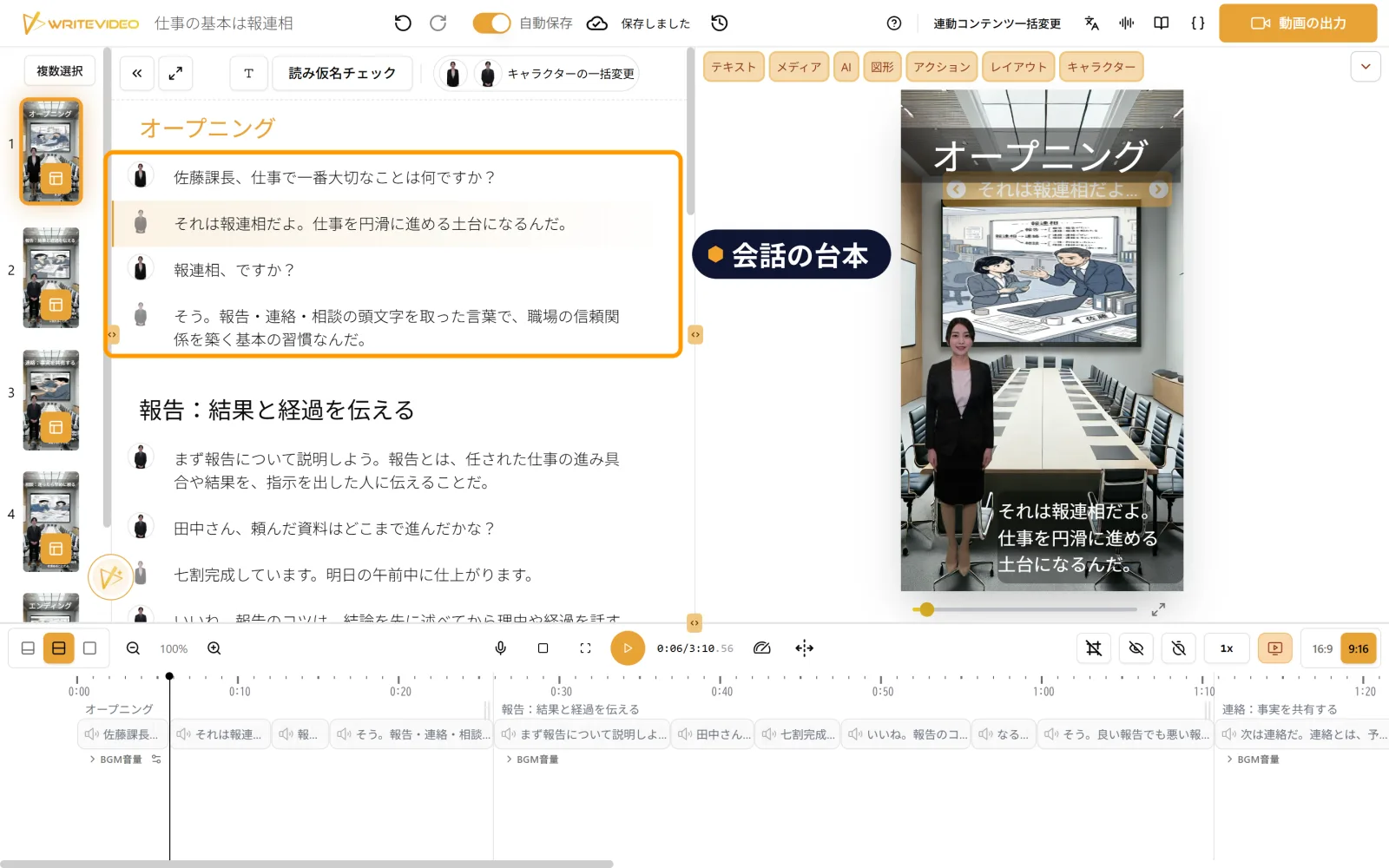
Choose a scenario such as "a manager and a new employee," and 2 characters are filled in automatically, each with a role and a way of speaking. The script becomes a conversation that goes back and forth between questions and answers, so the key points come across naturally. You can choose from 14 scenarios, such as training and recruitment briefings, including ones with a single speaker.
Change the presenter line by line
You can put several presenters in one video. Because you can choose the presenter for each line of the script, it is easy to have one explain and another ask questions. Talk to us about your company's own original characters and voices, too.
Listen and compare voices
Each voice has tags for its pitch, quality and mood. Narrow them down by these, listen to samples and switch to a voice that fits. There are also settings to adjust speaking speed and pitch, and voices whose speaking style you can request in writing (beta).
Choose background music, too
Choose background music from tracks whose names tell you their tempo, instruments and mood, listen to them, and set the volume. You can also use your own music as background music.
Use cases
Where this feature helps