Use casesSystem manuals
Use case · System manuals
Steps for operating screens and settings, in videos that are clear at a glance
How to use a new system, the steps for a setting. From the manual documents you already have, you can make videos that show the key points in step with the explanation.

Wishes
What you want to do
Make videos explaining operations from the manual documents we already haveSystem administrators
When a step changes, fix just that part right awaySystem administrators
Get straight to the step I want to seeEmployees who use the system
Solutions
With WriteVideo
Show the key points on screen, in step with the explanation
Just add your PowerPoint, Word or PDF manual and it becomes a video. With PowerPoint, you can use "Auto highlight frame" (自動ハイライト枠(β)) and "Auto zoom" (自動ズーム) to circle what is being talked about in a red frame and zoom in on the screen. Even a PDF whose text is an image can have its text read and turned into the script, and be framed in red the same way.
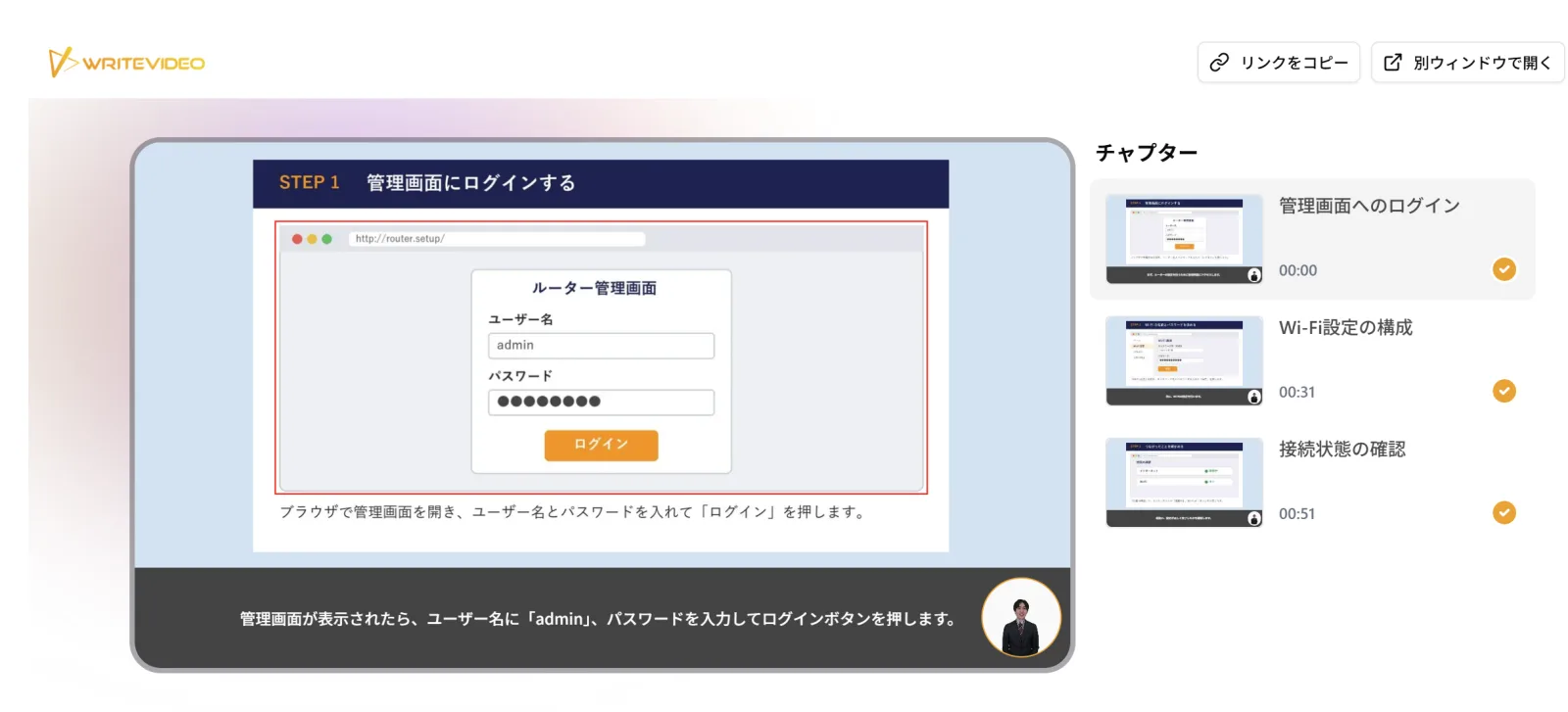
A video made from the instructions (PDF) for setting up a router. The sign-in screen being talked about is framed in red Fix only what changed, quickly
Rewrite a sentence in the script, and the subtitles and audio for that sentence are updated. You can also pick a chapter and ask in the chat, as in "Make the wording simpler, in chapter 3 only." After fixing it, just publish again to deliver the new content.
You can also upload an image of a new screen and place it in the current scene right away. When you want to show the operation as it happens, you can record your computer screen from the editor. What you say is transcribed and becomes the narration.
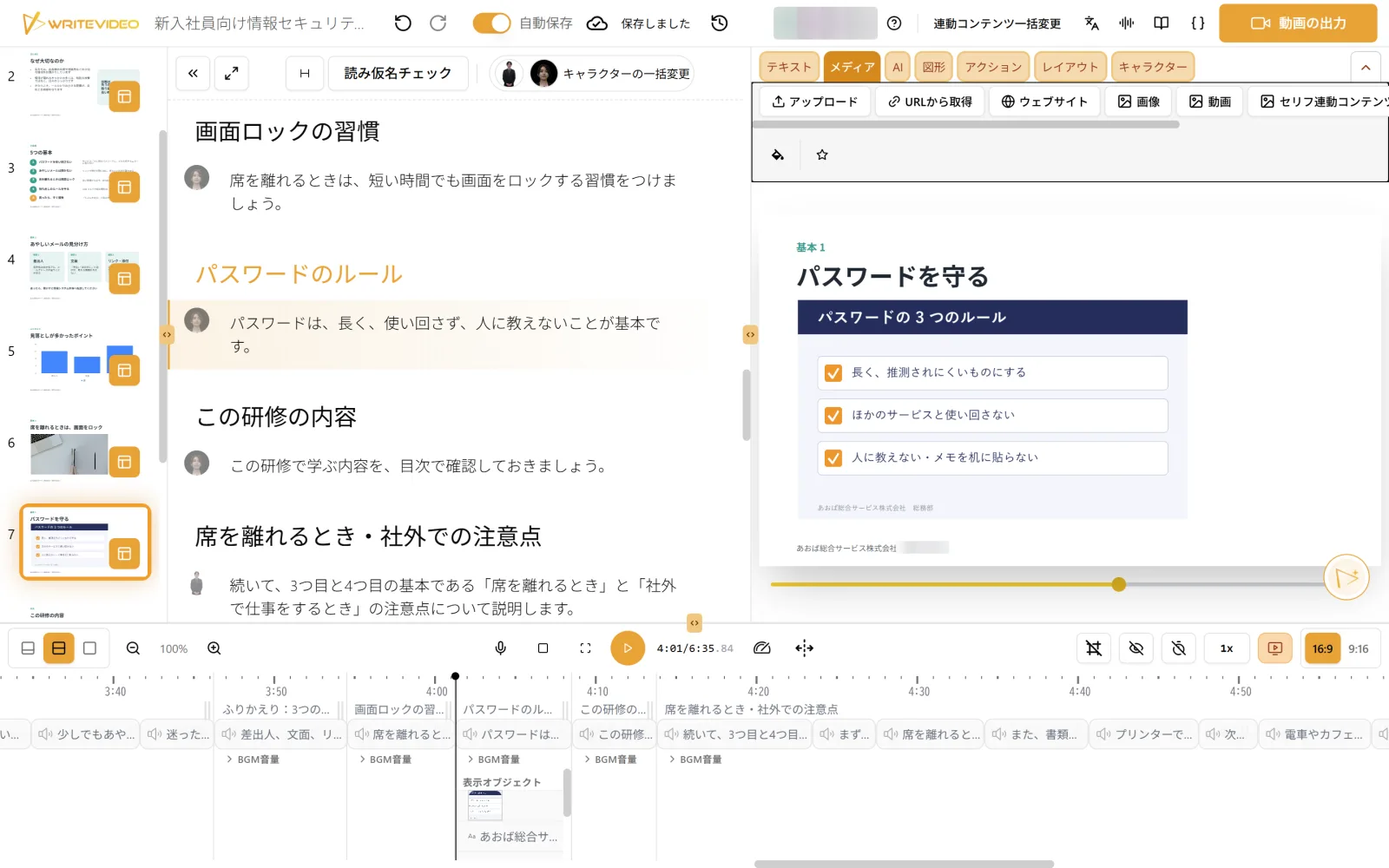
An image of your own, uploaded and placed in a scene Get straight to the step you want to see
With PowerPoint, each slide becomes one chapter. The share page lists the chapters, so viewers can go straight to the step they need. You can also place a table of contents listing the chapter names on screen. Paste the share page's URL where your company keeps its manuals, and people can open the steps they need from there. You can also export it as an MP4 video file or a PowerPoint file.
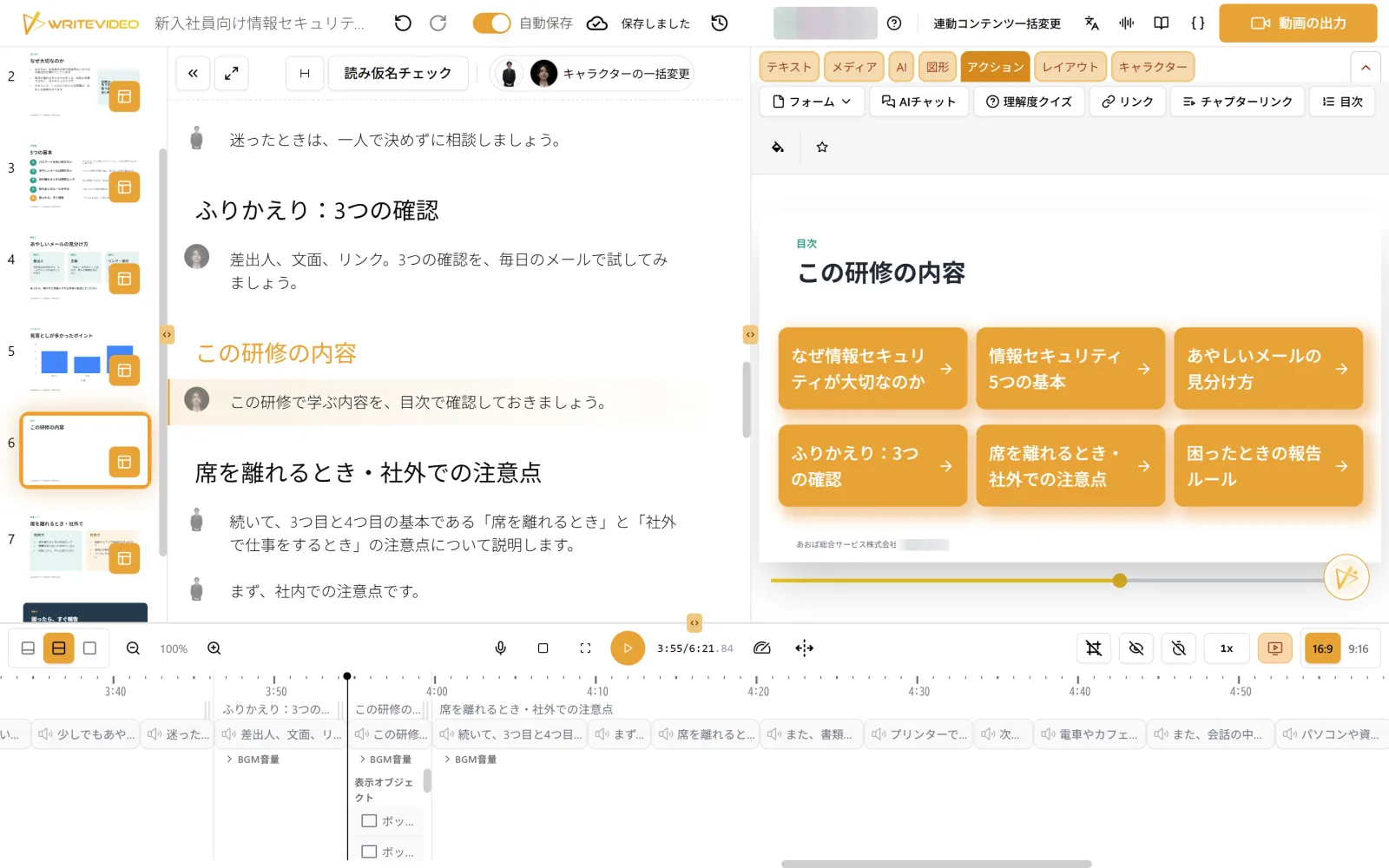
A table of contents listing the chapter names, placed on screen
Sample
Sample video