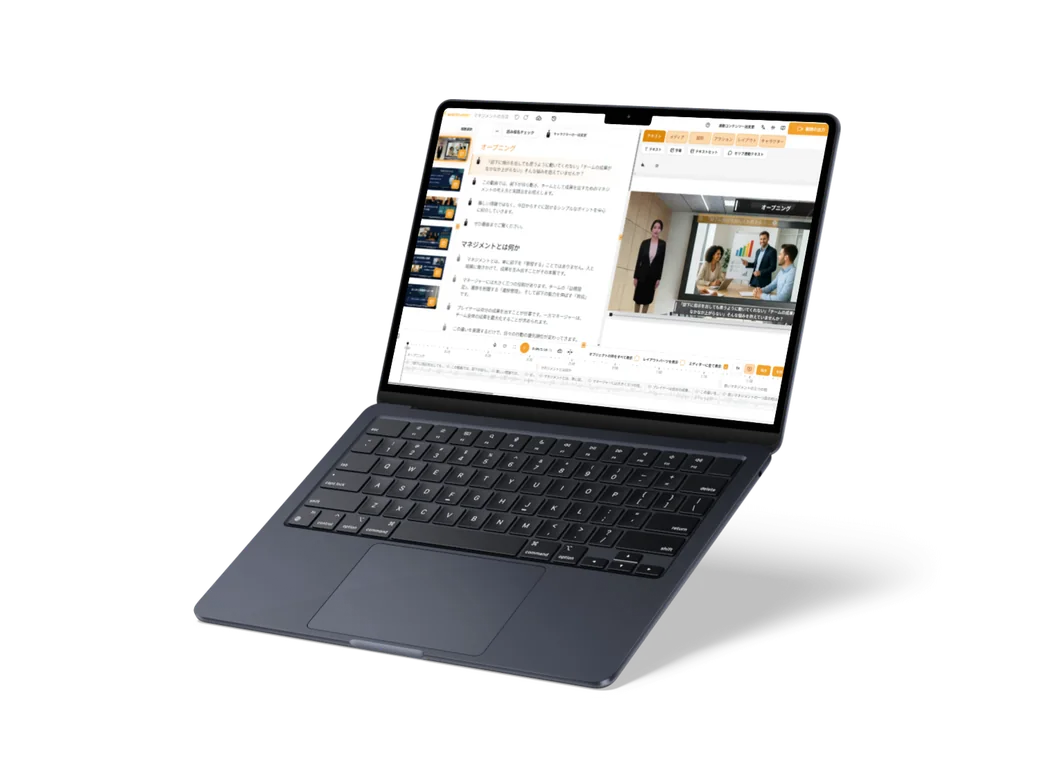
Use casesCustomer support
Use case · Customer support
Answers to common questions, in videos customers can watch anytime
Turn the answers to questions customers often ask into videos. Customers just open them when they want, and can follow the steps with their eyes and ears.

Wishes
What you want to do
Explain the answers to common questions in videos that are clear at a glanceSupport staff
Quickly adjust the wording of answers to suit our customersSupport staff
Make them easy to watch right from our website and our service counter guidesSupport staff
Solutions
With WriteVideo
Just write what you want to say, and it becomes a video
Just describe the video you want in text, as in "Explain the steps for signing up as a member, for first-time users." The AI writes the structure of headings and text, so you can check it before turning it into video. An AI character explains with narration, so the steps come across to the eye and the ear. You can also make it from documents such as instructions.
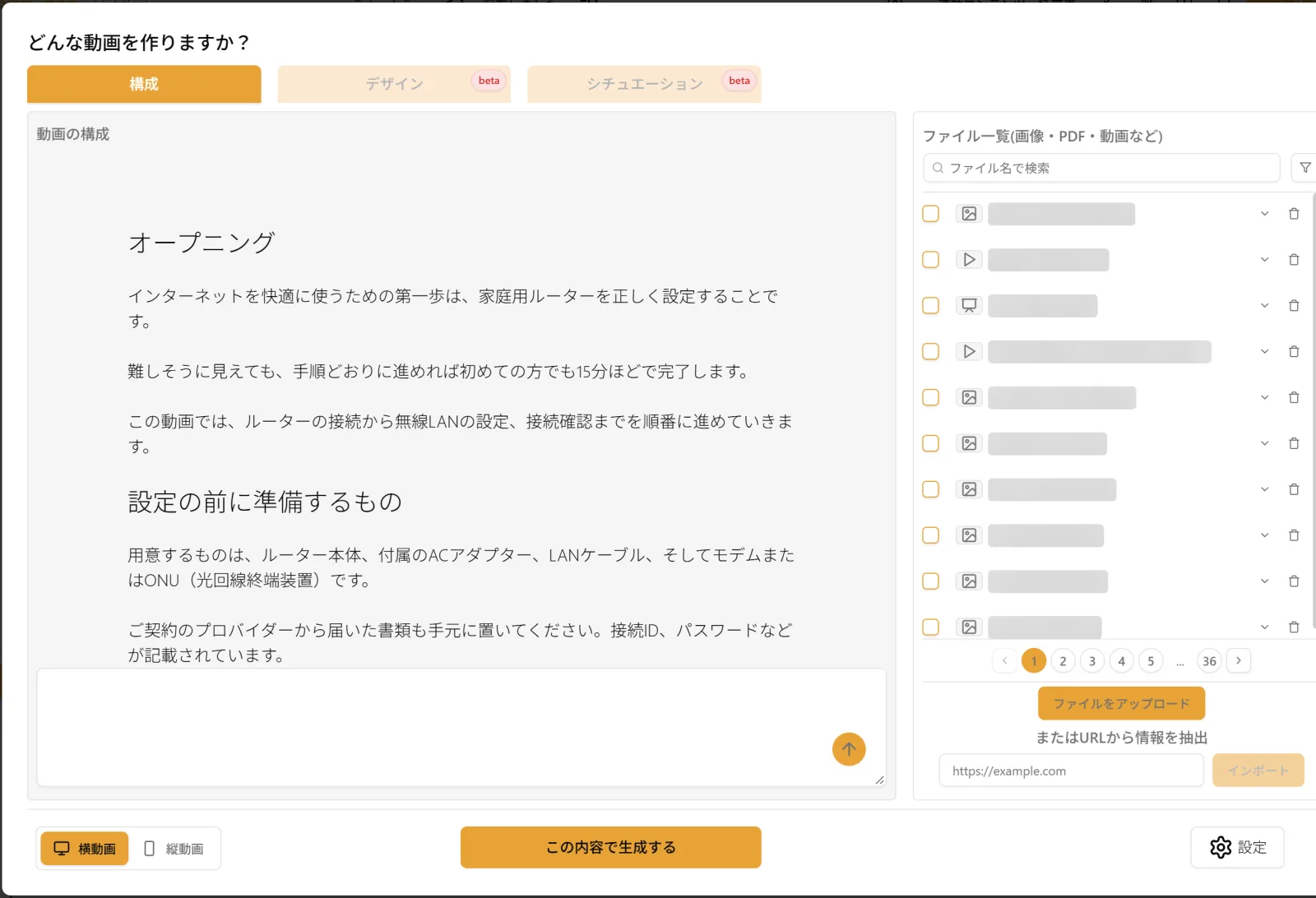
The structure produced when asking, for customers, about the first-time setup of a home router. Under each heading are the sentences to be spoken To fix something, just ask in the chat
Ask, as in "Make it sound gentler," and the AI rewrites the script. You can compare the sentences that will go and the ones that will come in, inside the script, before applying them. You can also set the range to fix, as in "Only chapter 2."
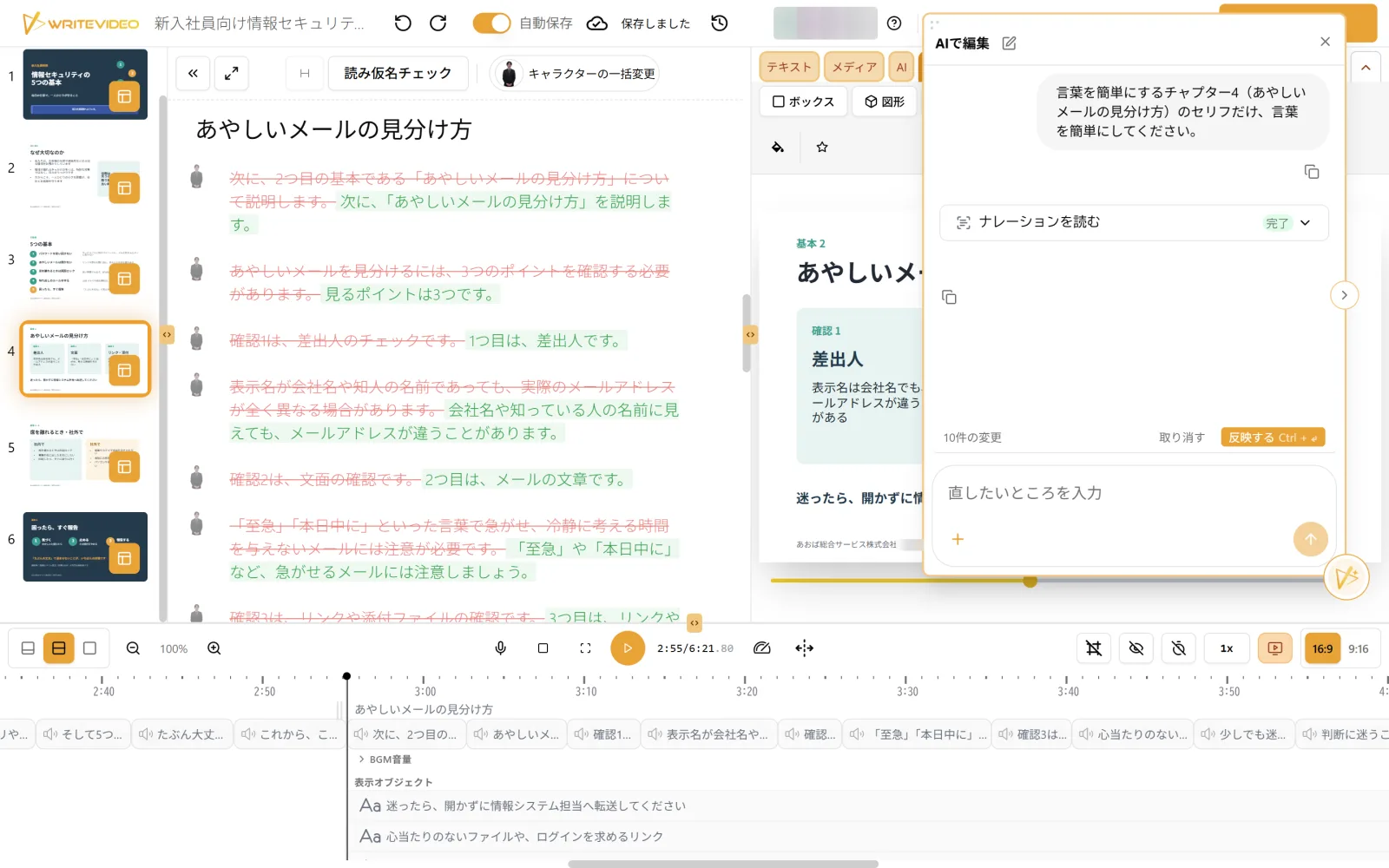
The requested changes appear in red and green in the script On your website, and at your service counter
Videos can be published as a URL, and customers can watch them in a browser without a WriteVideo account. When you publish, a code for embedding in a web page and a QR code also appear. You can download the QR code and add it to the guides at your service counter. With the embed code, you can put videos on your own FAQ page. On the share page opened by URL, viewers can choose a language, so you can guide customers overseas with the same video.
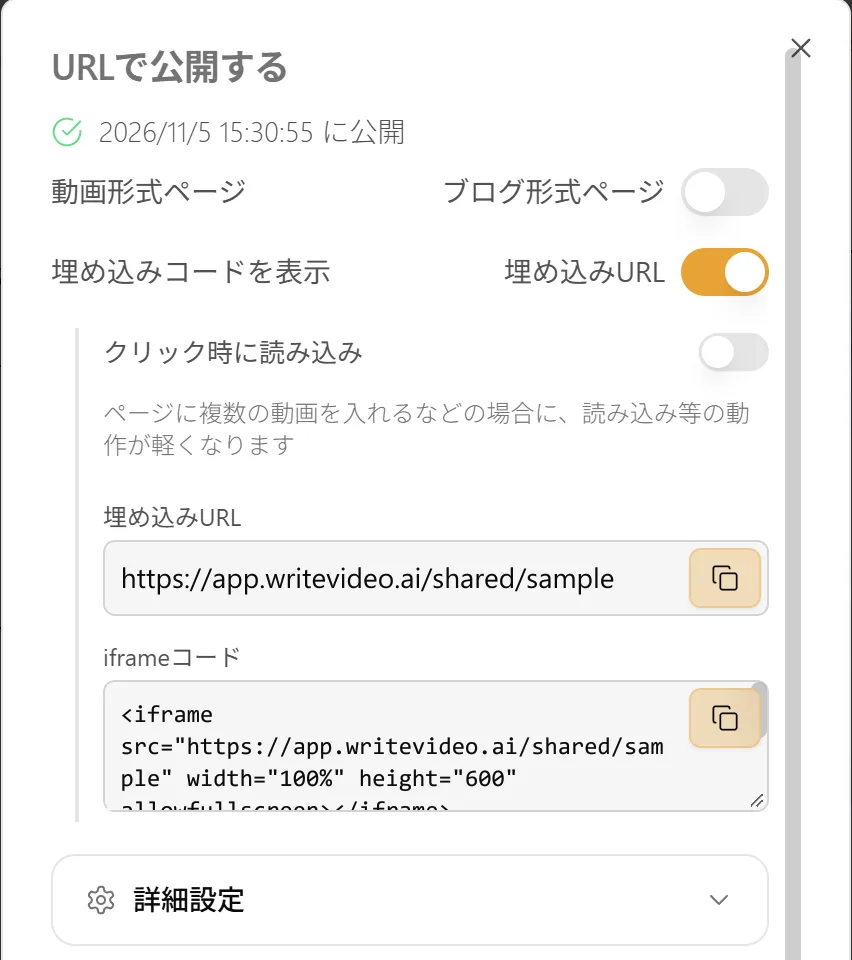
The embed code that appears when you publish
Sample
Sample video