FeaturesQuizzes & forms
Feature 07 · Deliver
Quizzes & forms
Check what viewers understood
With the Corporate plan, you can show a comprehension quiz after the video to check what viewers understood. The AI makes the quiz from the script. You can also place surveys or question fields partway through the video.
What it does
What it does
The AI makes a quiz from the script
Just choose the purpose, number of questions, question format and scope, and the AI makes questions from the video's script. You can choose 3, 5 or 10 questions, among other numbers. It supports multiple choice with 4 options, true or false, multiple answers and written answers, as well as explanations shown after answering.
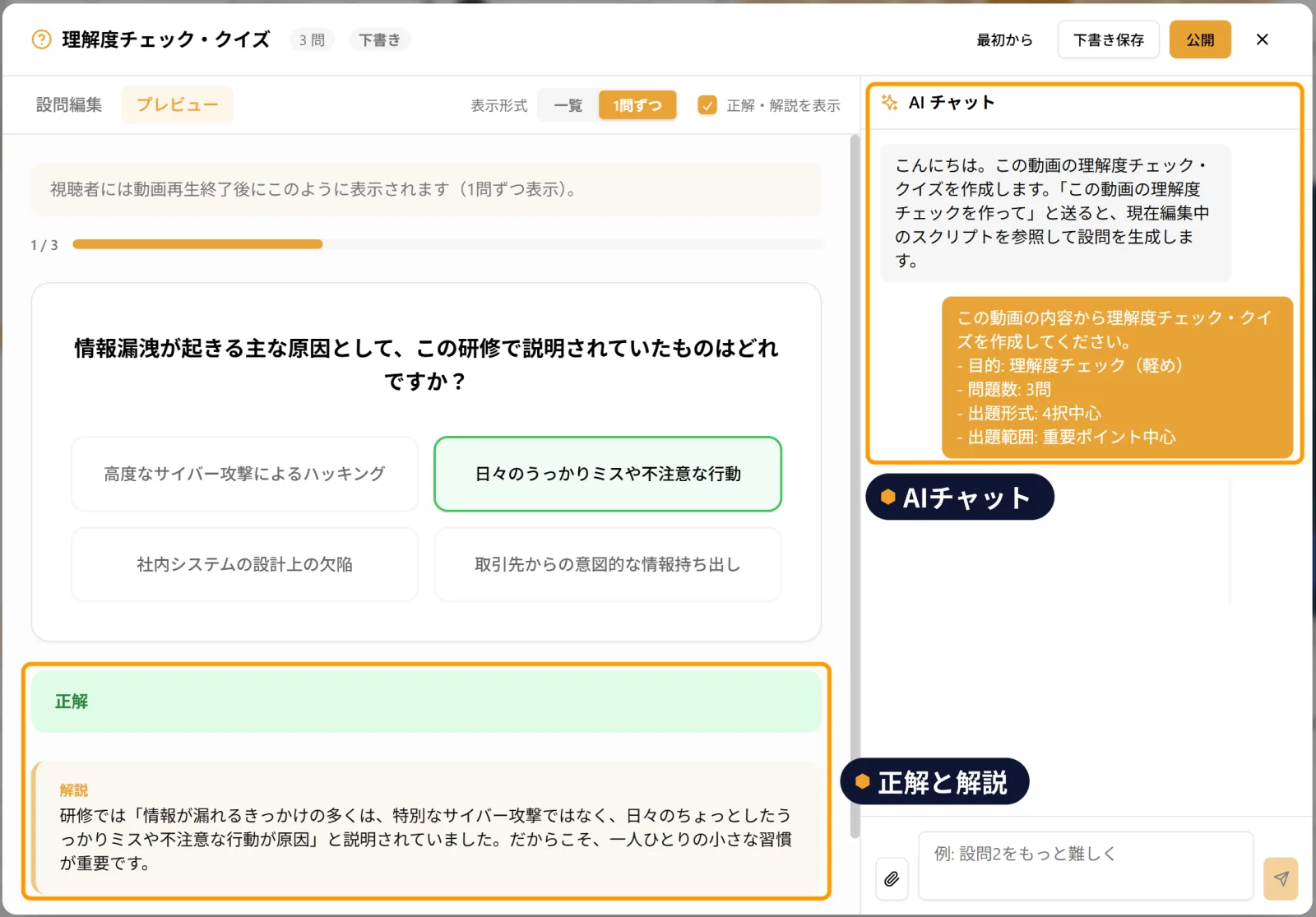
Viewers answer after the video
The quiz appears when viewers finish watching the video. When they answer, the correct answer and an explanation appear, so they can review on the spot. You can also ask for the name and department of the person answering, and set a passing score.
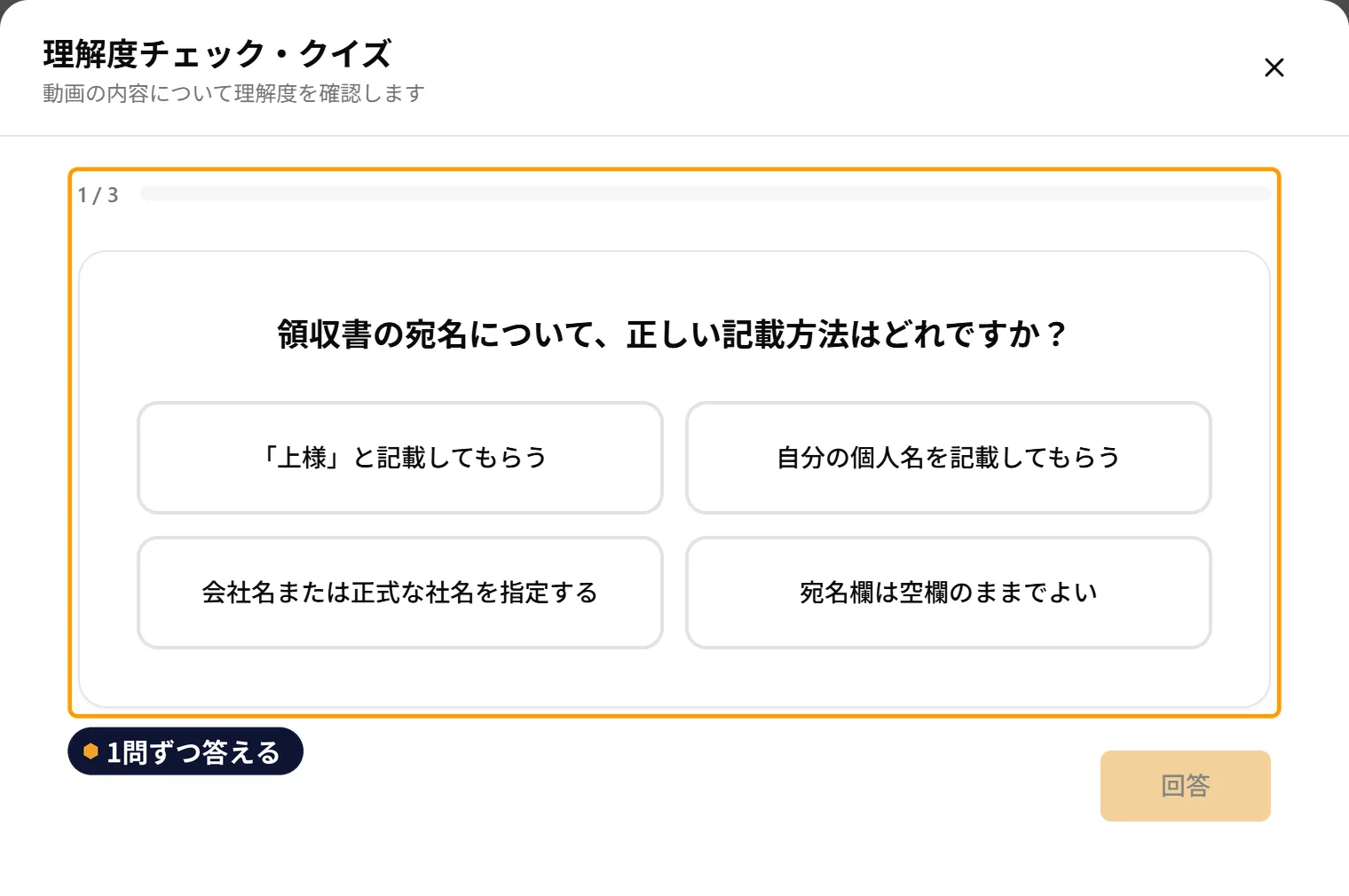
Place a form partway through the video
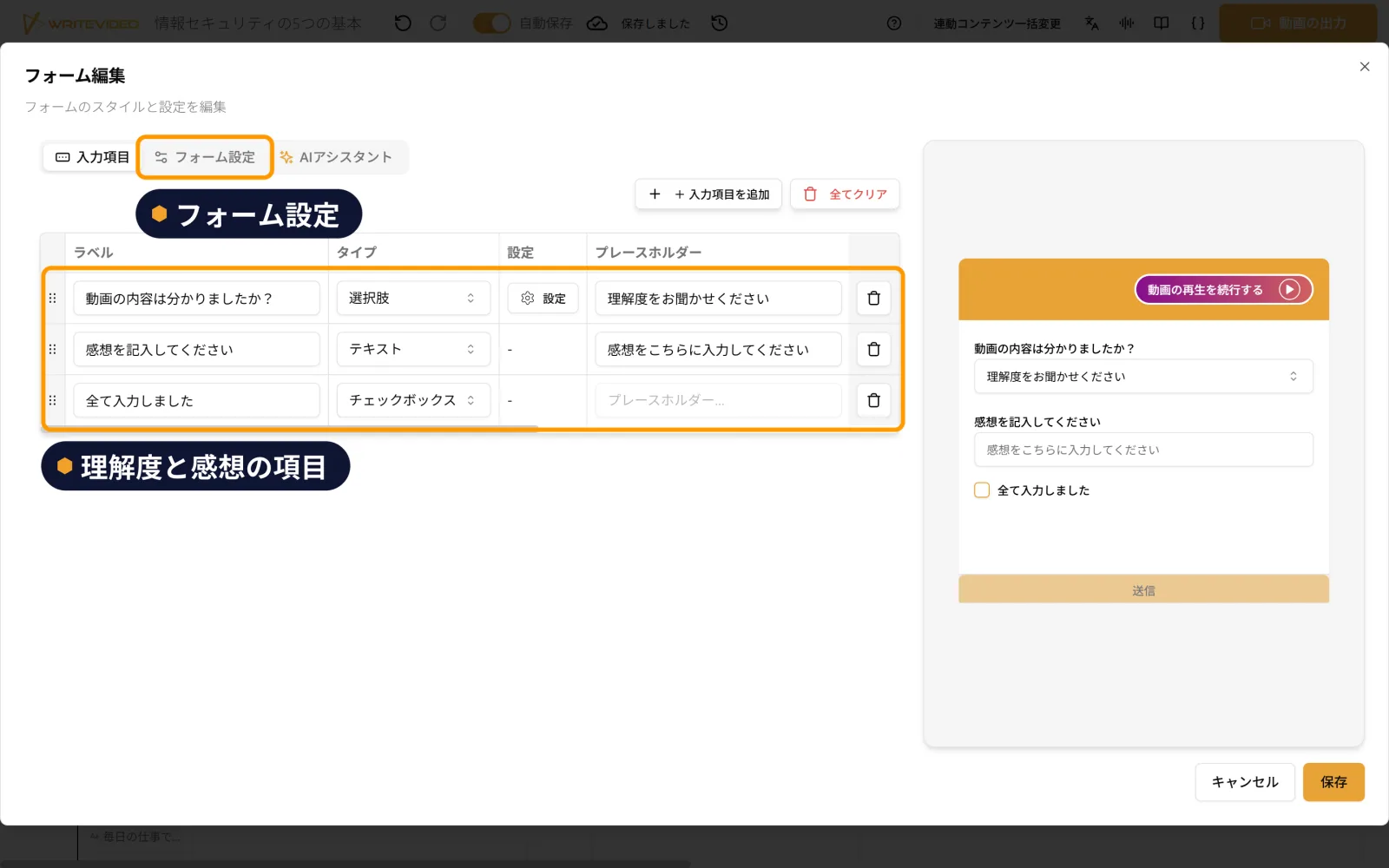
You can place a form partway through the video that asks about understanding and impressions. Questions about understanding and impressions are included from the start, so you can begin using it right away. There are also settings to notify you by email when a response arrives, and to continue playing the video after viewers answer. You can export the responses you receive together in Excel format.
Take questions with AI chat
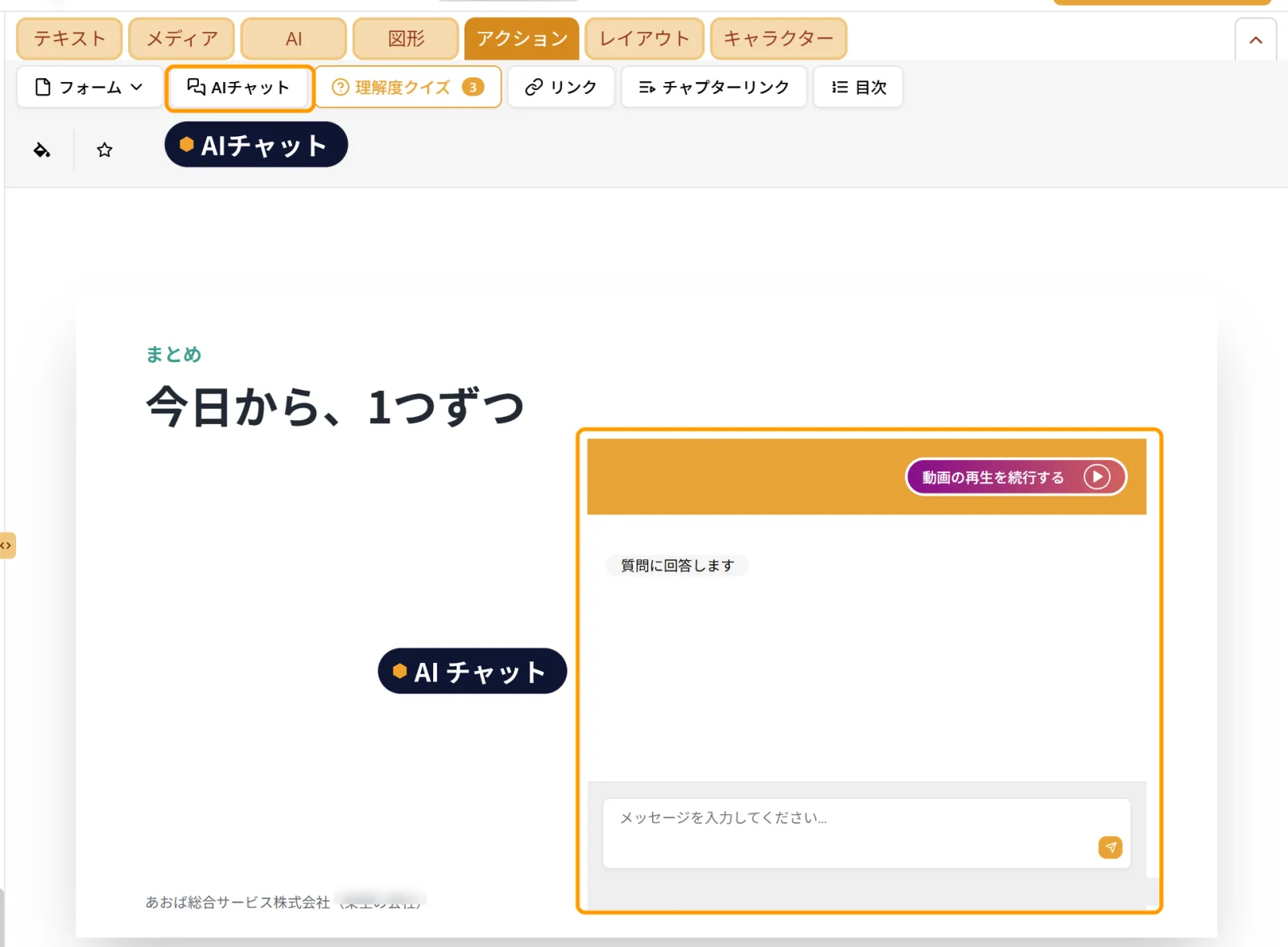
You can place an AI chat field that says "I will answer your questions" (質問に回答します) partway through the video. Viewers can type in what they do not understand on the spot, while watching. You can look back over the exchanges in the history later and export them.