Guides & tipsUpdated
One URL, and viewers choose their language: multilingual videos with WriteVideo
With WriteVideo videos, the people who receive them can choose their own language to watch in. We followed the viewer's screen from the moment the URL arrives to watching in English or Vietnamese.
We tried it with 2 training videos made in Japanese (warehouse safety rules for English, and information security for Vietnamese).
1. When the URL arrives: open it and play
Open the URL you received, and the video's page opens in the browser. You can watch it without a WriteVideo account (unless it is set to internal only or password-protected).
The recording below shows the viewer moving from the chapters on the right to chapter 2, "Helmet and safety shoes" (ヘルメットと安全ぐつ), opening the language field and switching to the English page.
Opening it from the QR code on a posted notice opens the same page. Viewers can also choose just the scenes they want from the list of chapters and rewatch them.
2. Choose English from the "Translate" list
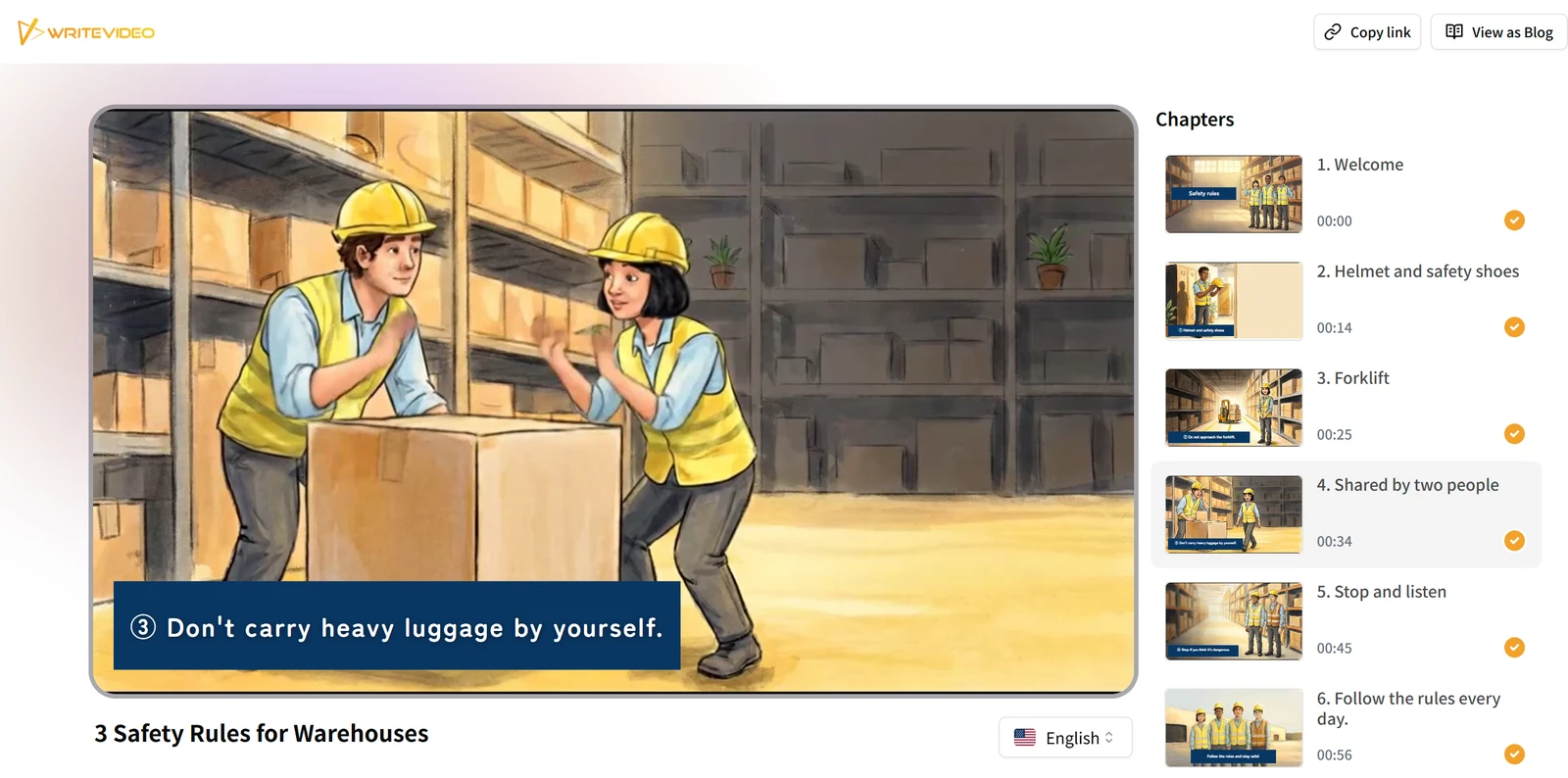
Press the language field below the video, and the "Translate" (翻訳) list opens. When we chose English in the warehouse safety rules training video, the text on the page changed as follows.
| Place on the page | In Japanese | After choosing English |
|---|---|---|
| Video title | "3 warehouse safety rules" (倉庫の安全ルール 3つ) | 3 Safety Rules for Warehouses |
| List of chapters | "Helmet and safety shoes" (ヘルメットと安全ぐつ), etc. | Helmet and safety shoes, etc. |
| On-screen heading | "③ Don't carry heavy loads alone" (③重い荷物は一人で持たない) | ③ Don't carry heavy luggage by yourself. |
| Buttons at the top | "Copy link" (リンクをコピー), "View as Blog" (ブログとして表示) | Copy link, View as Blog |
If the video has subtitles, they also change to the language chosen. For most languages, the narration is also voiced in the language chosen.
3. The person next to you watches the same URL in Vietnamese
Each viewer chooses their own language. Among people opening the same URL, some can watch in English, some in Vietnamese and some in Japanese as it is. Each can rewatch it in their own language whenever they need to.
When we chose Vietnamese in the information security training video, the title, the chapters and the subtitles could all be watched in Vietnamese.
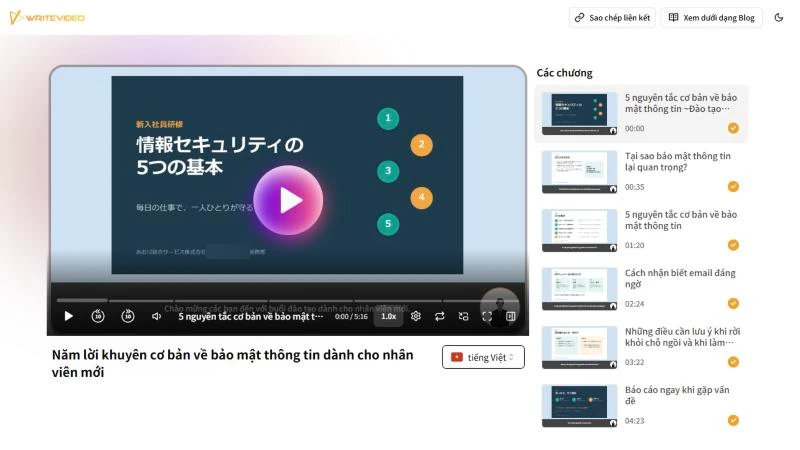
Besides English and Vietnamese, the list includes Chinese, Indonesian, Korean and more, and you can choose from more than 100 languages.
4. For situations where viewers do not share one language
You have foreign staff in your workplace, visitors from abroad come to your service counter, or you explain products and services to customers overseas. The less your viewers share one language, the more it helps to deliver with a single URL.
On the sending side, all you do is publish the video you made in Japanese as a URL from "Export video" (動画の出力). There is no need to make a separate version for each language. Even for staff who joined at different times and come from different countries, handing over the same URL is enough.